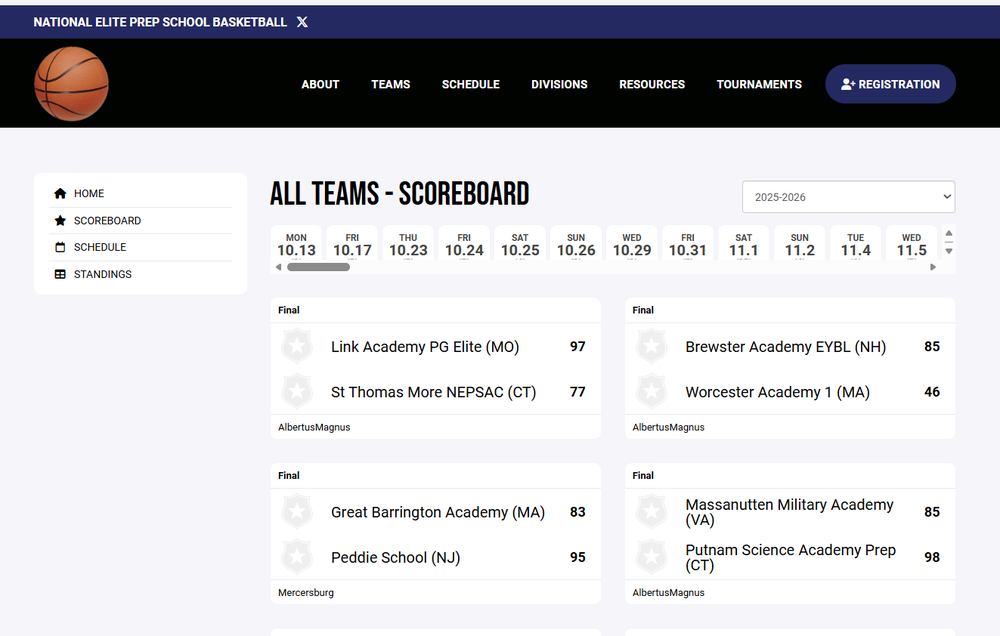
Retrieving Past Scores on NEPrepBasketball.net

There's three different ways to retrieve previous game scores during a current season on this site.

1. For a particular team:

         Click on "Divisions" in the black banner above.

         Surf into the "All Teams", then chose the team and click on it

        Select "Games"

2. For all teams* on a given day (fast retrieval):

       Click on "Divisions" in the black banner above.

       Surf into the "All Teams", click on "Scoreboard"

       Then slide the day selector to the date that you're seeking

3. For all teams* on every day of the season (slower retrieval)

       Click on "Divisions" in the black banner above.

       Surf into the "All Teams", click on "Schedule"

       This is the most comprehensive presentation, but be patient on this option because there is so much data, it will take a bit to download. 


*Unfortunately #2 and #3 only list the games where both opponents are both website-listed teams.  If the game involves a non-website opponent, #1 is the only method that will show those game results.